The short version
git worktree add ../dir -b branchgives an agent its own folder and branch in seconds.- A branch can be checked out in only one worktree at a time. That's a feature.
- New worktrees have no untracked files: no
.env, nonode_modules. - Remove a worktree only when its commits are on your main branch, and never with
--forceby habit.
If you run more than one coding agent on the same repository, you need git worktrees. They're the cheapest, most reliable way to stop agents from editing the same files at the same time, and they've been part of git since version 2.5. Yet many developers have never typed git worktree.
This guide covers everything you need to run Claude Code, Codex or any other agent in worktrees: the commands, what they don't isolate, how to merge the results, and how to clean up safely.
What a worktree is
A normal clone has one working directory: the folder with your files. A worktree is an extra working directory attached to the same repository. Each worktree has its own checked-out branch, its own index and its own files. All of them share the same history, objects, remotes and config.
So when an agent commits in its worktree, the commit is immediately visible from your main checkout. No pushing, no fetching. And when you switch branches in your main checkout, the agent's folder doesn't change at all.
The commands you need
Create a worktree on a new branch
# from your main checkout
git worktree add ../clankdesk-fix-login -b fix/login-redirect

# or base it on something other than HEAD
git worktree add ../clankdesk-fix-login -b fix/login-redirect main
See what exists
git worktree list
# /Users/you/code/clankdesk            4f2a9c1 [main]
# /Users/you/code/clankdesk-fix-login  4f2a9c1 [fix/login-redirect]
Remove one when its work has landed
git worktree remove ../clankdesk-fix-login
git worktree prune   # forget folders you deleted by hand
Then point your agent at the folder: cd ../clankdesk-fix-login && claude, or codex --cd ../clankdesk-fix-login. Claude Code also has a --worktree flag that creates one for the session; see claude --help on your version.
Why not just clone the repository twice?
You could, and some people do. Worktrees are better for agents for three reasons. They're faster and smaller, because history and objects are shared instead of copied. Commits made in one are instantly visible in the others, so merging a finished branch needs no push or fetch. And git itself prevents two worktrees from checking out the same branch, which a pair of clones won't do. Clones still make sense when you want complete separation, such as different remotes or a different git config.
Where to put them
Anywhere outside the main checkout's tracked files. Two common choices:
- Siblings:
../project-task-name. Easy to find, but your code folder fills up. - A hidden folder inside the repo: for example
.worktrees/task-name, listed in.gitignore. Tidy, but some tools (file watchers, test runners, search) will happily descend into it. Exclude it explicitly.
Name the branch after the task, not the agent. fix/login-redirect still means something next week. agent-3 doesn't.
The gotchas
One branch, one worktree
Git refuses to check out a branch that's already checked out in another worktree. This is exactly the protection you want: two agents can never share a branch by accident. If you need a second agent to build on the first one's work, branch from it: git worktree add ../b -b feat/b fix/login-redirect.
Untracked files don't come along
A fresh worktree is a clean checkout. Your .env, node_modules, virtualenv, build cache and local database files aren't there. Agents will either fail confusingly or helpfully create their own. Decide up front: an install command each worktree runs first, and which local config gets copied in.
Files are isolated. Nothing else is.
Two worktrees running a dev server both want the same port. Two agents running migrations hit the same local database. Make the port an environment variable, and treat schema changes as something only one task does at a time.
Don't nest a worktree in tracked files
Putting a worktree inside a tracked directory makes git status noisy and can confuse tools. Use an ignored folder or a sibling.
A safe merge loop
Agents finish at different times, on top of different versions of main. Merge them one at a time:
# 1. what did this branch change since it forked?
git diff main...fix/login-redirect

# 2. bring it up to date, inside its worktree
git -C ../clankdesk-fix-login rebase main

# 3. run the tests there, on top of the new main
(cd ../clankdesk-fix-login && swift test)

# 4. move main forward without a merge commit
git merge --ff-only fix/login-redirect
If the rebase conflicts, give the conflict back to the agent that wrote the branch, with the names of the commits that conflicted. It has the context to resolve it. If --ff-only refuses, main moved since your rebase: rebase again.
One more thing: an agent sometimes finishes with uncommitted changes. Commit them in the worktree before you rebase, or they won't travel with the branch.
Cleaning up without losing work
Worktrees pile up fast. Before removing one, make sure nothing in it is unique:
git -C ../clankdesk-fix-login status --short   # anything uncommitted?
git log main..fix/login-redirect --oneline      # commits not on main yet?
If both are empty, git worktree remove is safe. Without --force, git refuses to remove a worktree with modified or untracked files, which is a good safety net. Keep the branch for a while, even after the folder is gone. Branches are cheap, and a deleted branch is the one you'll want back.
How ClankDesk uses worktrees
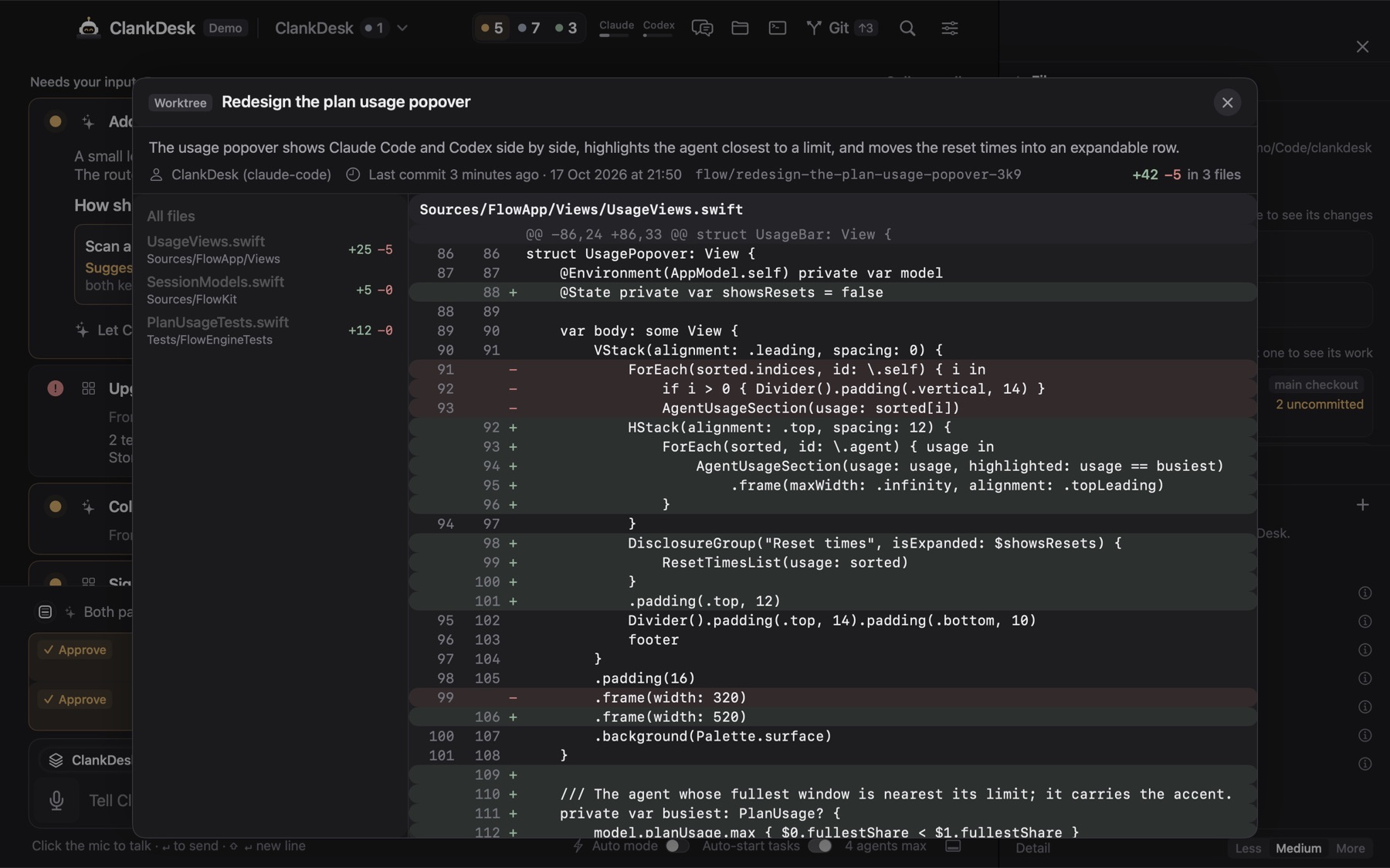
ClankDesk is built on exactly this pattern, automated. Every task gets its own branch and worktree before an agent starts. When you approve, it commits anything the agent left uncommitted, rebases inside the worktree, runs your test command and fast-forwards your branch in your checkout. Your uncommitted changes in the main checkout are never touched.
Cleanup follows the checks above. A worktree is removed only when it has no uncommitted files, no git operation in progress, and every commit is already on the base branch. The branch is always kept. And ClankDesk's git code never force-pushes, hard-resets, stashes or force-removes a worktree. A test scans the code for those commands.
Worktrees make parallel agents safe. They don't make them easy to keep track of. That's the other half of the problem, covered in running multiple Claude Code agents in parallel.
See the whole flow on the features page, or try it in the demo.