Hold a key and speak
A hold-to-talk key you choose in Settings brings ClankDesk forward and listens. Let go and your words sit in the composer, ready to edit or send. Speech recognition runs on your Mac when macOS supports it.
Features
You say what you want built. ClankDesk splits it into tasks, runs Claude Code and Codex on them in parallel, each in its own git worktree, and only brings you the moments that need a human. Here is everything that makes that work.
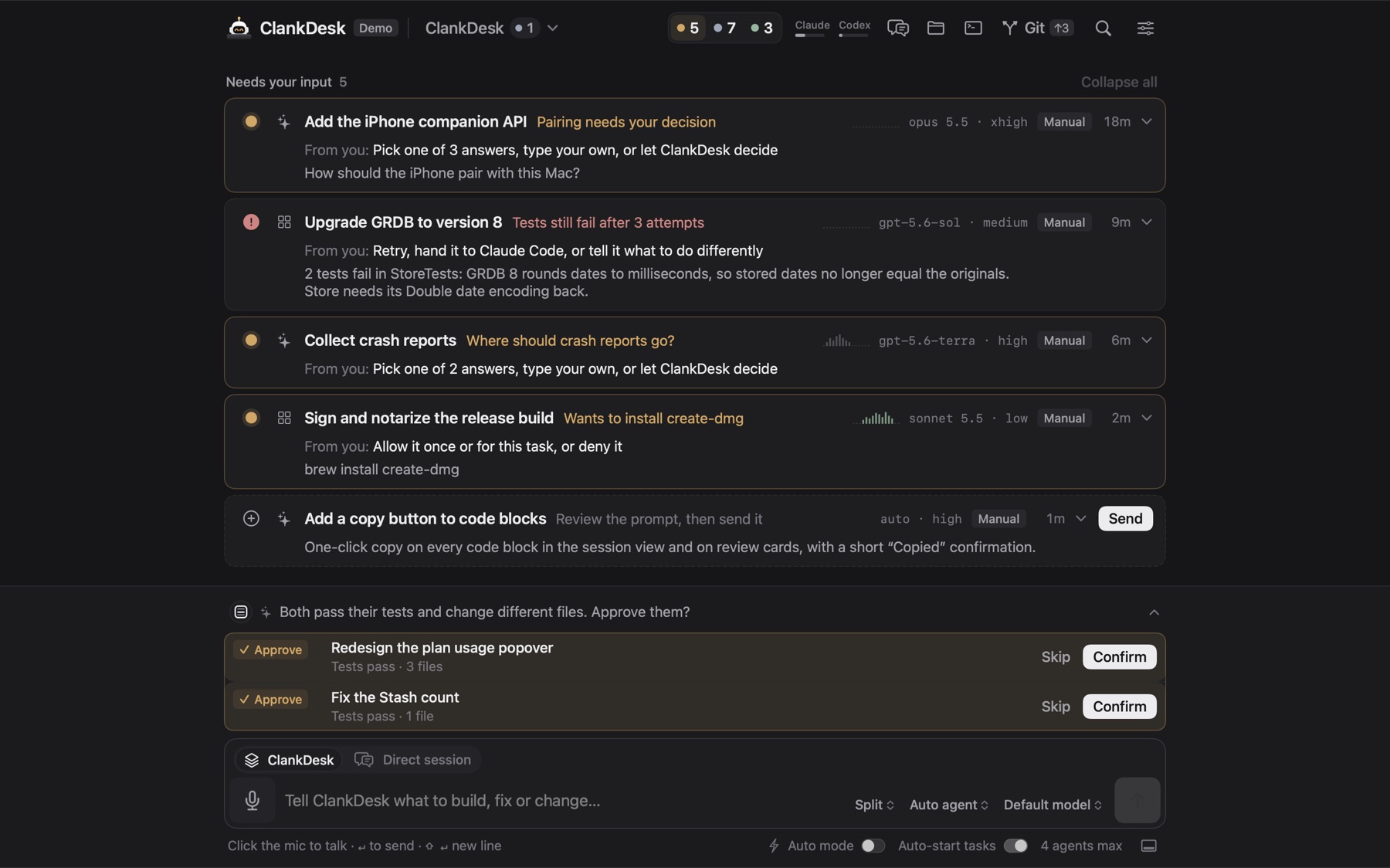
Brief ClankDesk the way you'd brief a developer. One message can hold two bugs, a feature and an idea for later. It becomes one card per piece of work, each with a plan.
A hold-to-talk key you choose in Settings brings ClankDesk forward and listens. Let go and your words sit in the composer, ready to edit or send. Speech recognition runs on your Mac when macOS supports it.
ClankDesk reads your message, works out which tasks it holds, and checks its plan against your real tasks before it changes anything.
The menu next to Send keeps a long message as one task when that's what you want. Your choice is remembered per project.
Skip the splitting and send your words straight to one agent, verbatim. The card names itself and its session view becomes the chat.
Paste or drop images on the composer. Agents get them as files they can open, so "make it look like this" works.
Turn Auto-start off and new tasks wait as proposals that show exactly what will be sent. Edit it, or tell the card what to change, then Send.
"Someday we should…" goes to the backlog, out of sight, until you start it.
Focus a card and your next message amends that task instead of creating a new one.
Leave it on automatic, or choose the agent and model for a message from the composer.
You shouldn't have to manage agents. You should only manage the work that needs your attention. When an agent needs a decision, its card rises to the top with the question, the plan and the options.
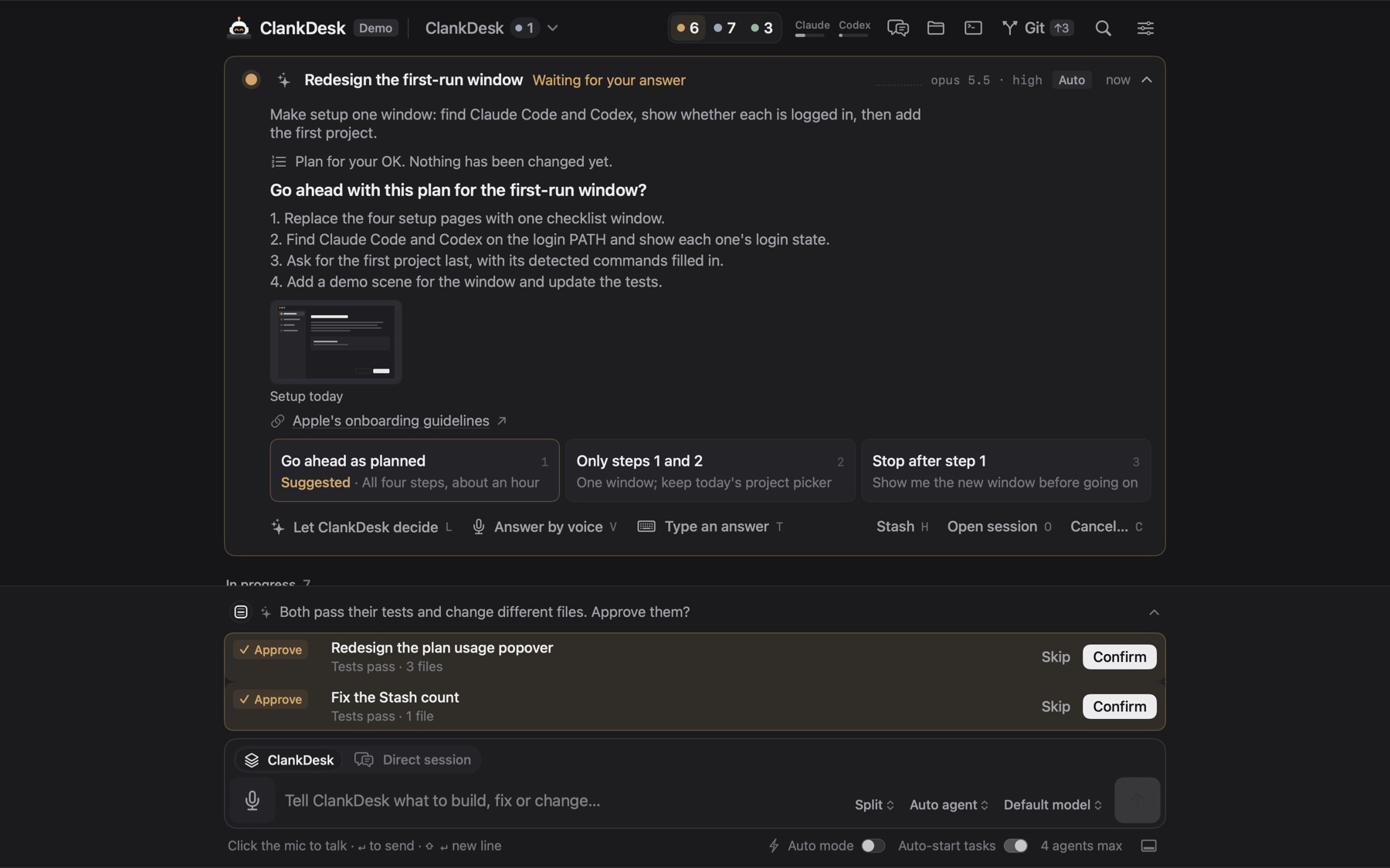
A short line under each title tells you whether the work can be approved and what, if anything, is needed from you.
Cards show what the agent is doing right now, in one plain line, instead of a progress bar that guesses.
Choose how much each card says, from just the need to a full summary of the result.
Set a question or a finished card aside without deciding. Nothing is merged, discarded or stopped. Restore brings it back as it was.
Approved cards leave the board. Archive clears the Done list when you want a clean slate.
Approve, reject, stash and open cards from the keyboard. Every menu shortcut can be rebound in Settings.
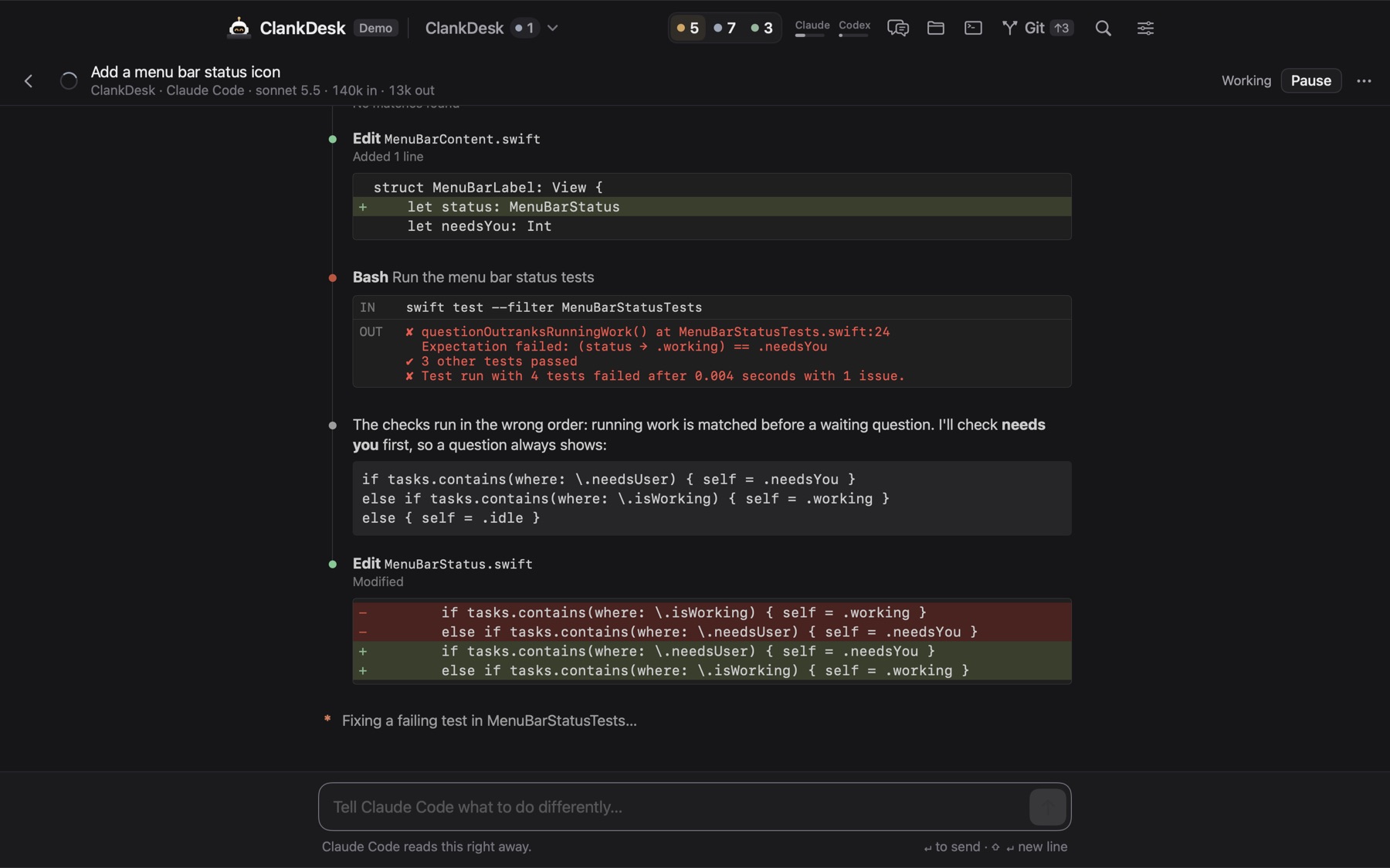
A task is a persistent object, not a terminal session. Behind every card is a real Claude Code or Codex session you can open to follow each edit, command and test run, then close again.
The main chat coordinates all your tasks. Ask what's going on. Say "approve those two", "pause the dashboard" or "tell the API task what the login task found", and it acts on the right cards.
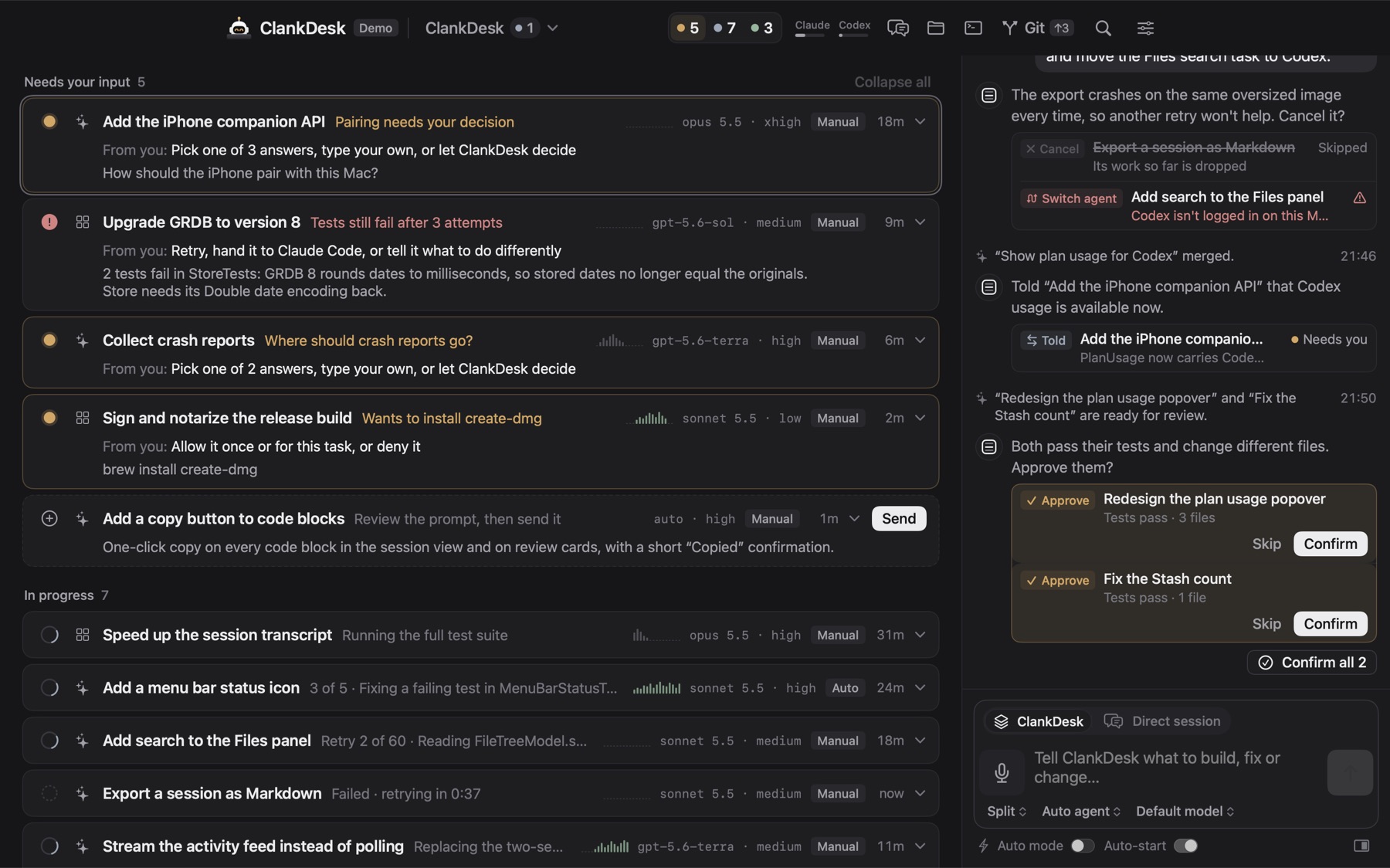
The chat folds above the composer or docks on the left or right of the board. Its answers are computed from what happened, never from what the model claims happened.
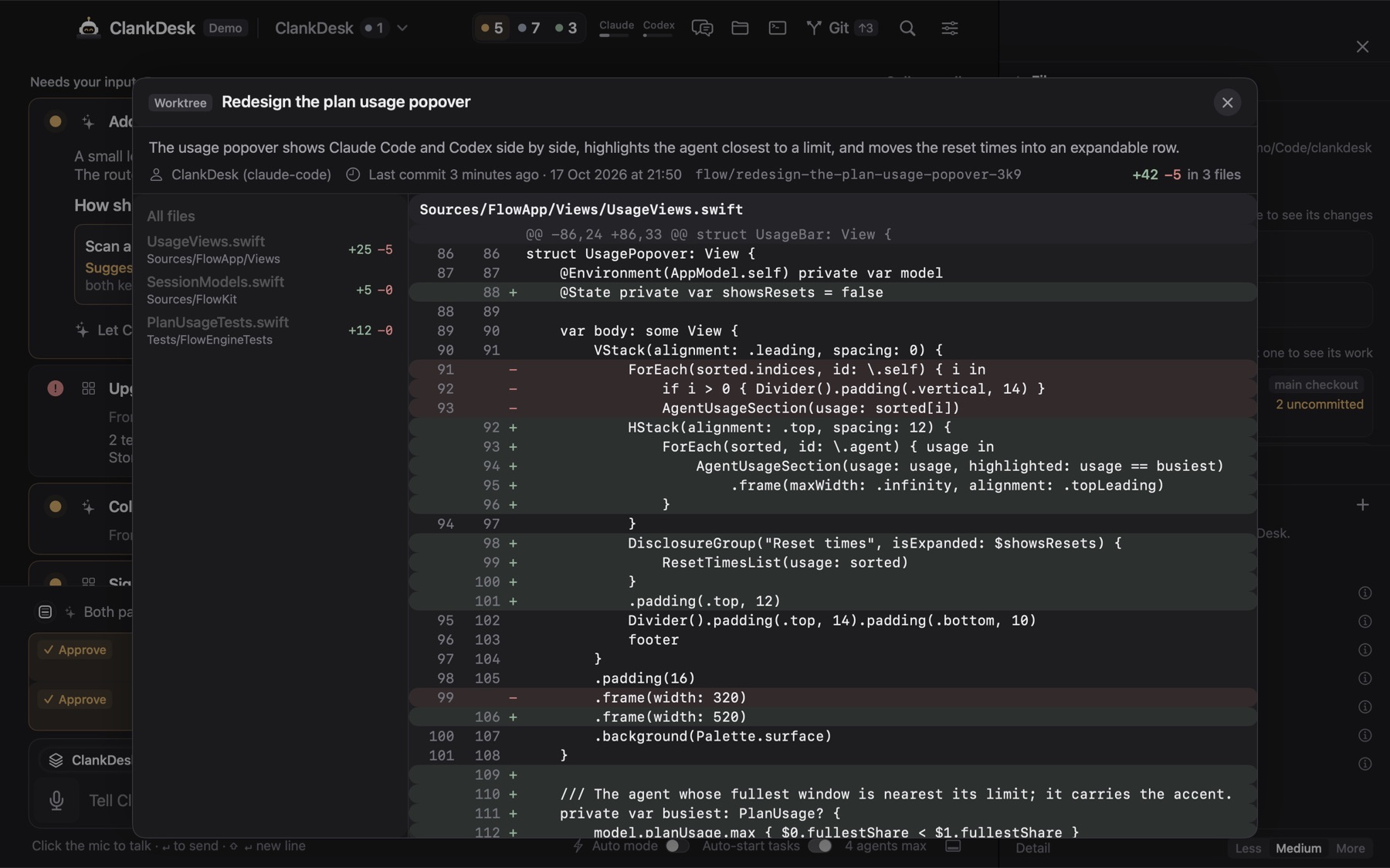
Finished work comes back as a short walkthrough: what changed, the images the agent made, links to open, and the diff. Visual results, not terminal logs.
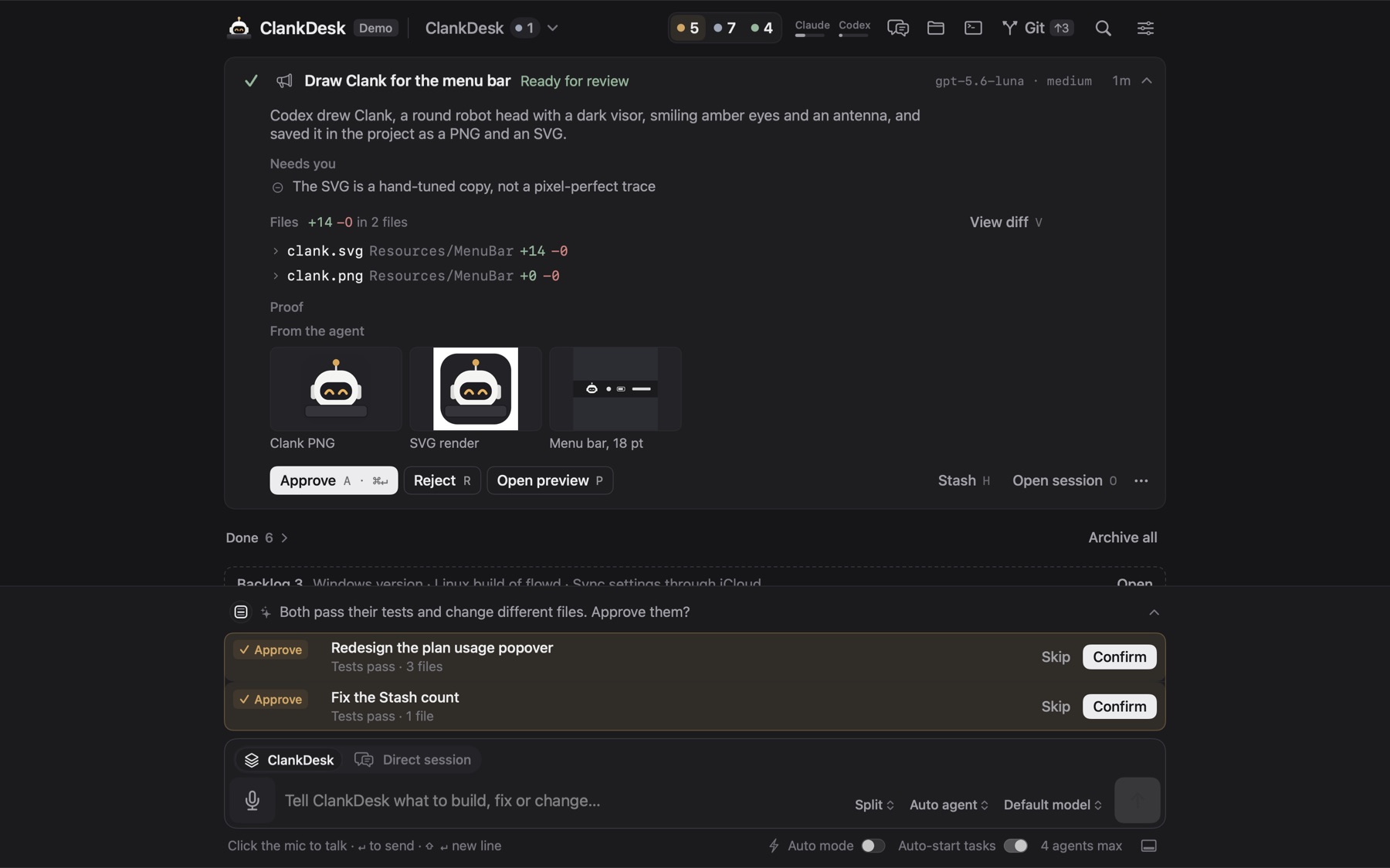
Agents never work in your checkout. Each task gets a branch and a git worktree. When you approve, ClankDesk commits what's left, rebases, runs your tests and fast-forwards your branch locally.
Two tasks that will change the same files don't race each other. One goes first, and the other starts on top of its work.
When ClankDesk splits your message it notes which tasks will likely touch the same files, using what open tasks have changed so far.
A queued task waits while an overlapping one is at work or being merged. A task waiting on you holds nobody up.
By default, finished work that another task waits on merges on its own through the same pipeline as Approve. You can set it to never or always.
After any merge, other branches waiting for review are rebased. One that now conflicts goes back to its agent right away.
A task that depends on another waits for it to finish, and for its merge.
Only one task per project changes the database schema at once.
Reads, edits inside the task's worktree, package installs, test runs and local git just happen. Pushes, deploys, secrets, sudo, writes outside the worktree and anything ClankDesk doesn't recognize become a question on the card.
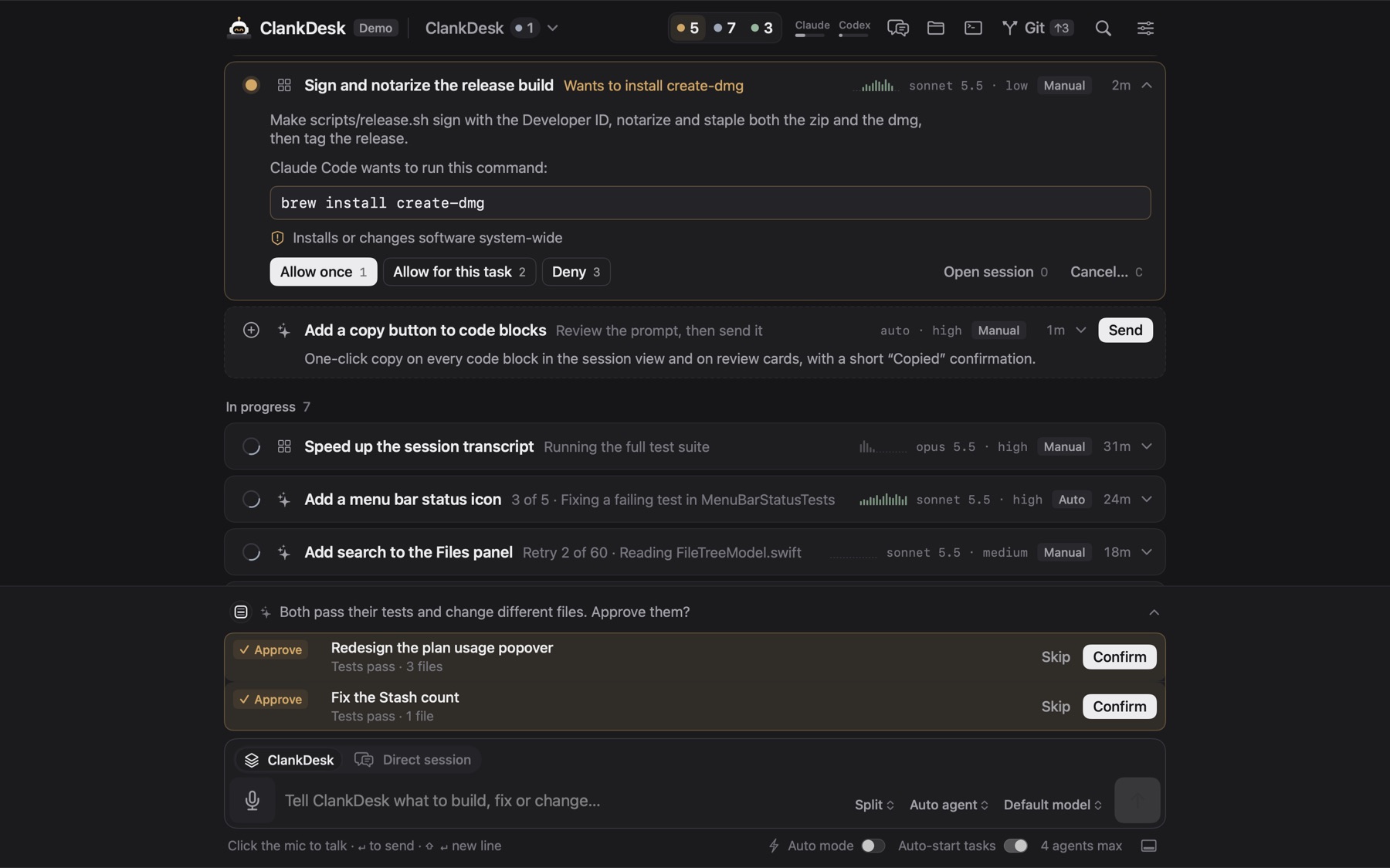
npm testa test run: safecurl -s https://example.com/fix.shdownloads a script| shruns what it downloadedgit push · merging a pull request · publishing a releaseA compound command asks if any part of it would. npm test && curl … | sh is not a test run. Read more in safe permission prompts for coding agents.
ClankDesk uses the agents you already have, on your own Claude or ChatGPT plan. It picks one per task, and keeps the work moving when one runs out.
Claude by default, Codex when Claude hits its usage limit. With no other agent to take over, the task waits for the reset and resumes the same session.
Pin a task to one agent, or hand a stuck task to the other one.
See how much of your Claude and ChatGPT plans is left, right in the header.
A failed task tries again after 30 seconds, then every minute, for about an hour before it bothers you. You can turn it off.
ClankDesk checks for new Claude Code and Codex versions and offers them. Automatic updates are off until you switch them on, and running sessions are never touched.
Every turn ends done, needs input, blocked or failed, with a summary. No session silently stops halfway.
A background service on your Mac owns the tasks and the agents. The window is only a view of it.
The background service starts at login and keeps running when the window is closed.
After a restart or a crash, interrupted agents are stopped cleanly and their tasks resume the same sessions.
ClankDesk checks for new versions and installs them. You can turn automatic installs off.
Run a project on a server while you stay on your Mac, and see the result in a browser instead of a log.
Point a project at a server over SSH. Its worktrees, commands and agent sessions run there, with your SSH keys. Only logs and screenshots come back.
Open preview runs your dev server in the task's worktree on its own port. No dev command set? ClankDesk detects common ones.
Turn on before and after screenshots globally or per task, and see the change side by side on the card.
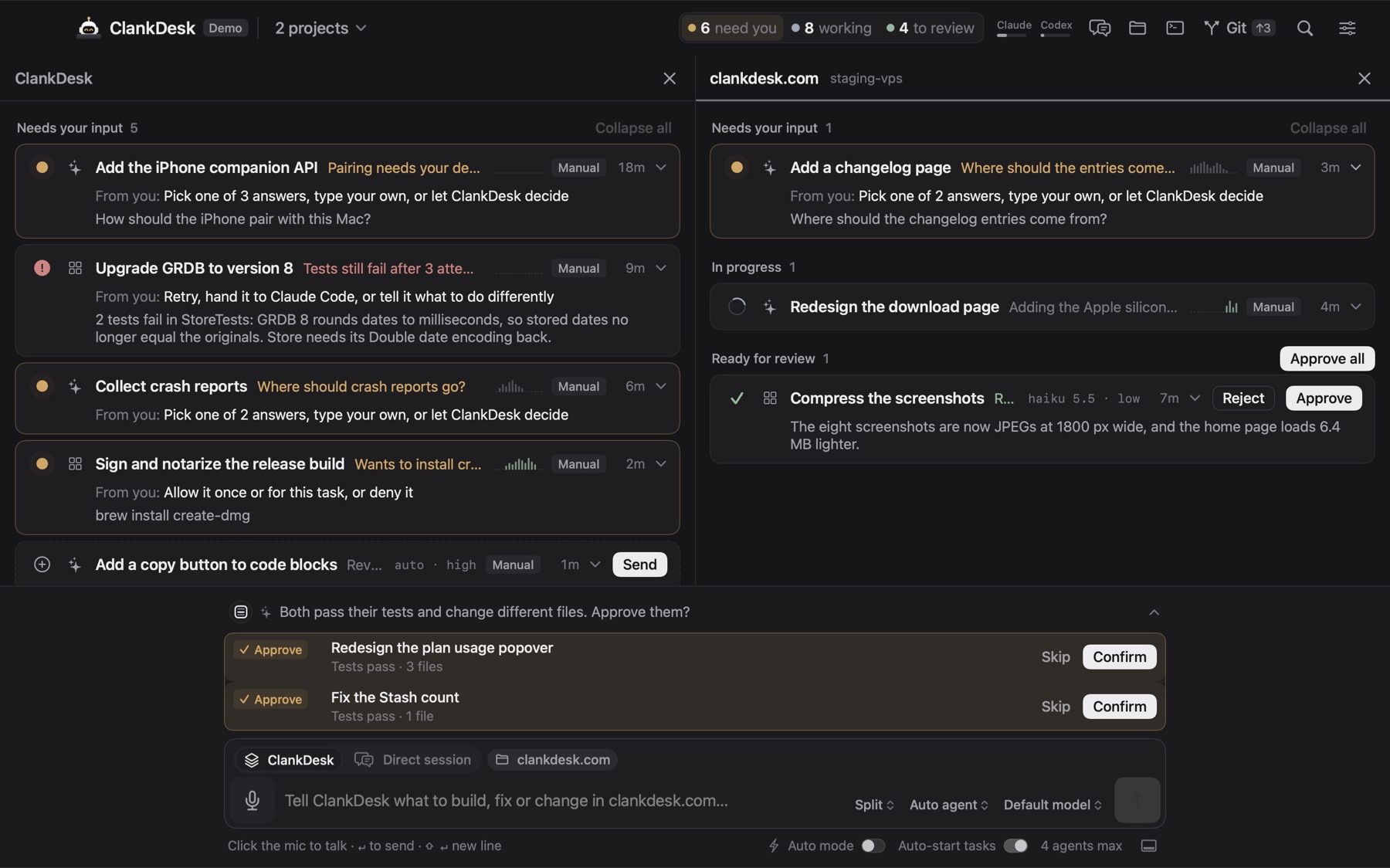
Open projects in columns of equal width, or switch between them like workspaces. Each one keeps its own composer, draft and choices, so a reply never follows you into the wrong project.
Switches that add one standing instruction to every agent's rules, for all projects or just one. Claude Code and Codex both get them from the next turn.
Write or update a test that fails for the right reason, make it pass, and name the test that proves it.
The smallest change that does the job. No drive-by refactors, renames or new dependencies.
Every decision in the report comes with its reason and the main alternative.
Summaries and questions in everyday words, in agents' reports and in the chat. The work stays as careful as ever.
Artifactmaxxing shows things as pages, images and charts. YOLO no-testing skips tests entirely, merge checks included. Docs as you go keeps the README and comments current. Use subagents splits the work. Agent swarm hands every step to subagents, so the session stays small and fast. Token saver reads and prints less.
Write custom superpowers. Every row shows the exact line agents receive.
Not an IDE. But when you want to look, you don't have to leave.
Uncommitted files and every worktree, each opening to its diff and description.
A file explorer and a simple editor with syntax highlighting, tabs and safe saves.
Run one command at a time in the project's folder, on your Mac or on the server, with ⌘J.
Find a task from the header, including recently finished ones.
What got done and the tokens it took, day by day, in the side panel.
Pick an artwork behind the board, toned down so text stays readable.
Your Mac does the work. Your phone lets you answer a question, allow a command or approve finished work from anywhere.
Want to see all of this move? The interactive demo runs in your browser, no download needed.
During the beta, ClankDesk downloads from a link we email you. Enter your email and we'll send it, plus a short tour and news when new features ship.